AI-native from day one
Ecosystems built for AI agents. A control tower to govern them.
One command builds the ecosystem your agents work in — role repos, a shared knowledge base, and starter specialist agents wired to your roles. Start with a project, grow it to a company, and as the team grows, teammates join hubs that show only what they should see. Then the same app governs every agent: safe moves auto-approved, risky ones held for you. No cloud — it runs on your machine.
brew tap actower/brew && brew trust actower/brew && brew install actowerFree tier includes up to 5 monitored agents. No credit card required.
See how it works →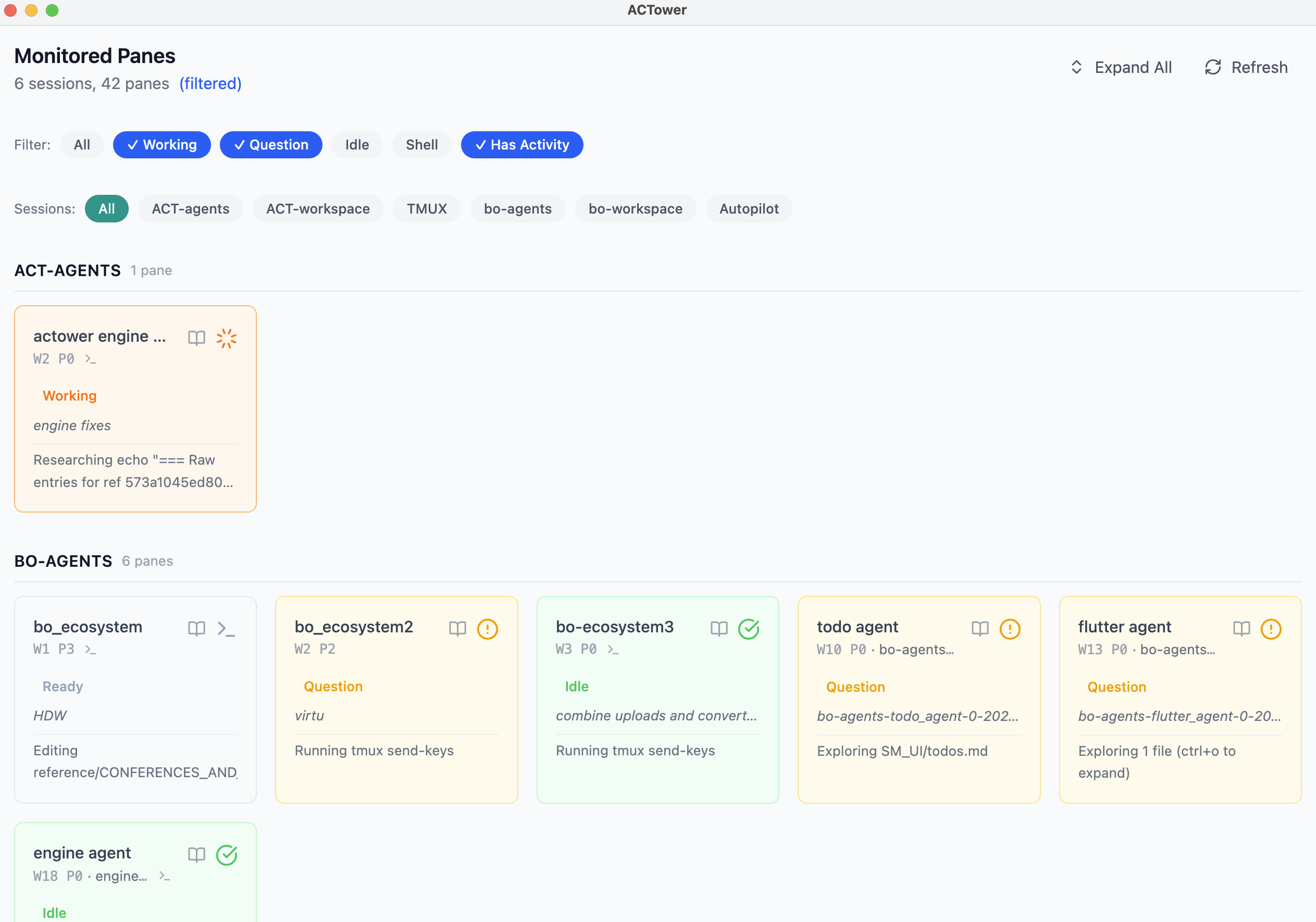
An ecosystem is any size of work — one project, or a whole company with sales and marketing role repos. Same structure, scaled to fit.
From a blank machine to a working setup your whole team runs on.
You build the ecosystem
Give your company one short name in the app and preview the whole workspace as a dry-run before it exists — then confirm, and it’s live. You walk away with a founder hub that sees everything, starter specialist-agent templates wired to your roles, a knowledge base in Obsidian, and slash commands for daily work. The environment your agents work in, built in five minutes, not five weeks. You extend the agents. (Developers can run the same headless with actower ecosystem init.)
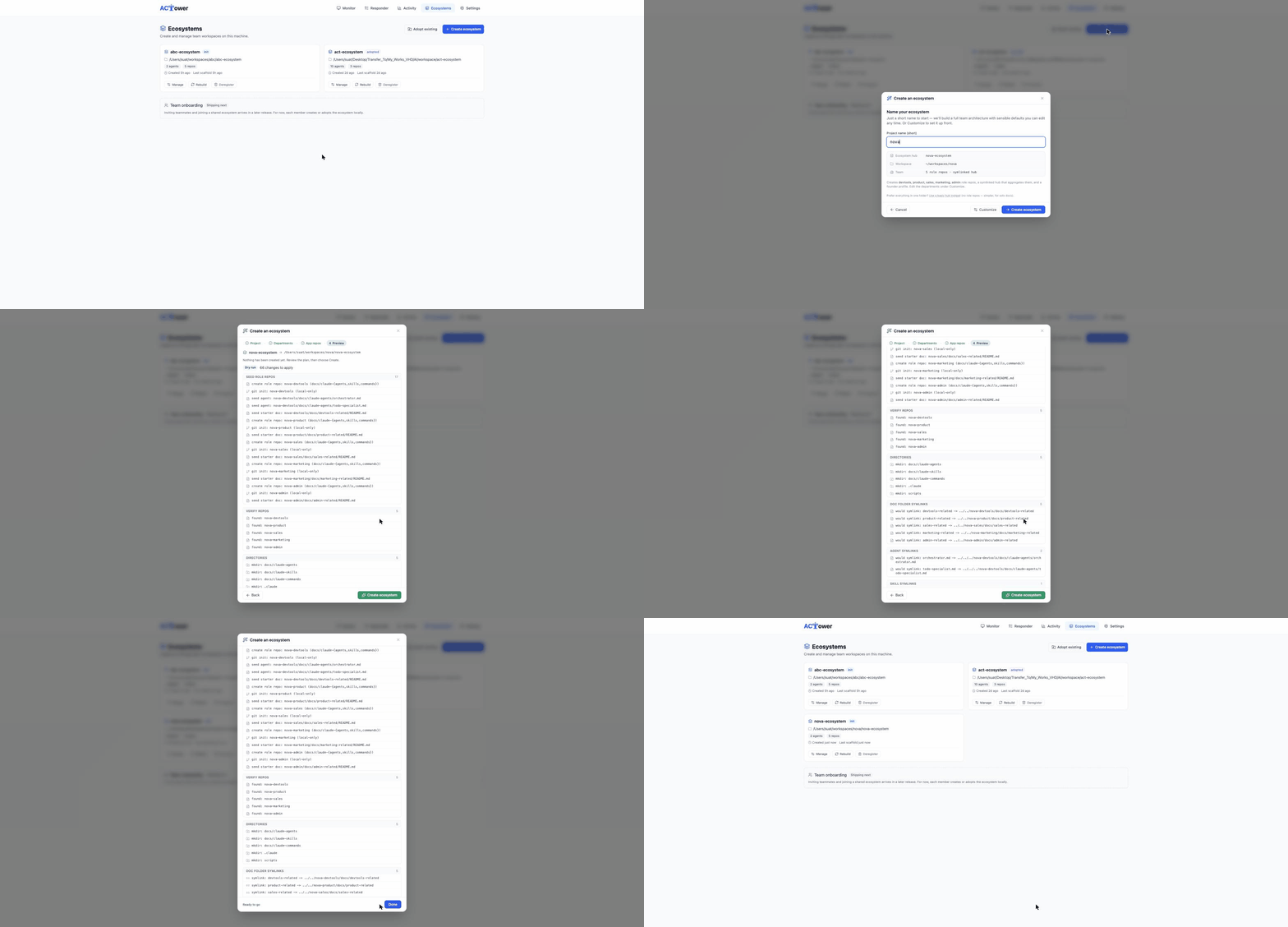
You scope your first hire
You bring on someone for sales. You check a box that says “sales scope” and get back a one-line invite. No onboarding doc. No credentials in a DM. No “here’s which agents to install.”
They work in a hub that shows only what they should see
They paste the one-liner. Two minutes later they’re working in their own hub — sales, marketing, shared docs, and nothing else. Their agents come pre-wired. They never touched a command that felt scary.
That’s the product: the AI-native workspace, and the controls to run it — in one app, on your machine.
Build the ecosystem. Do the work. Govern every agent.
Your AI workspace, in one app — spin up specialist agents in seconds, scale to a team in minutes, monitor everything in one place.
Build the ecosystem
Name your company once in the app and preview the whole workspace before anything is created — role repos, a founder hub, a shared knowledge base, slash commands, and starter specialist-agent templates wired to your roles. Confirm the dry-run and it’s live. You extend the agents. Start with one project; grow it to a whole company — the same ecosystem, scaled to fit. (It’s how we run ACTower and BOSOPT.)
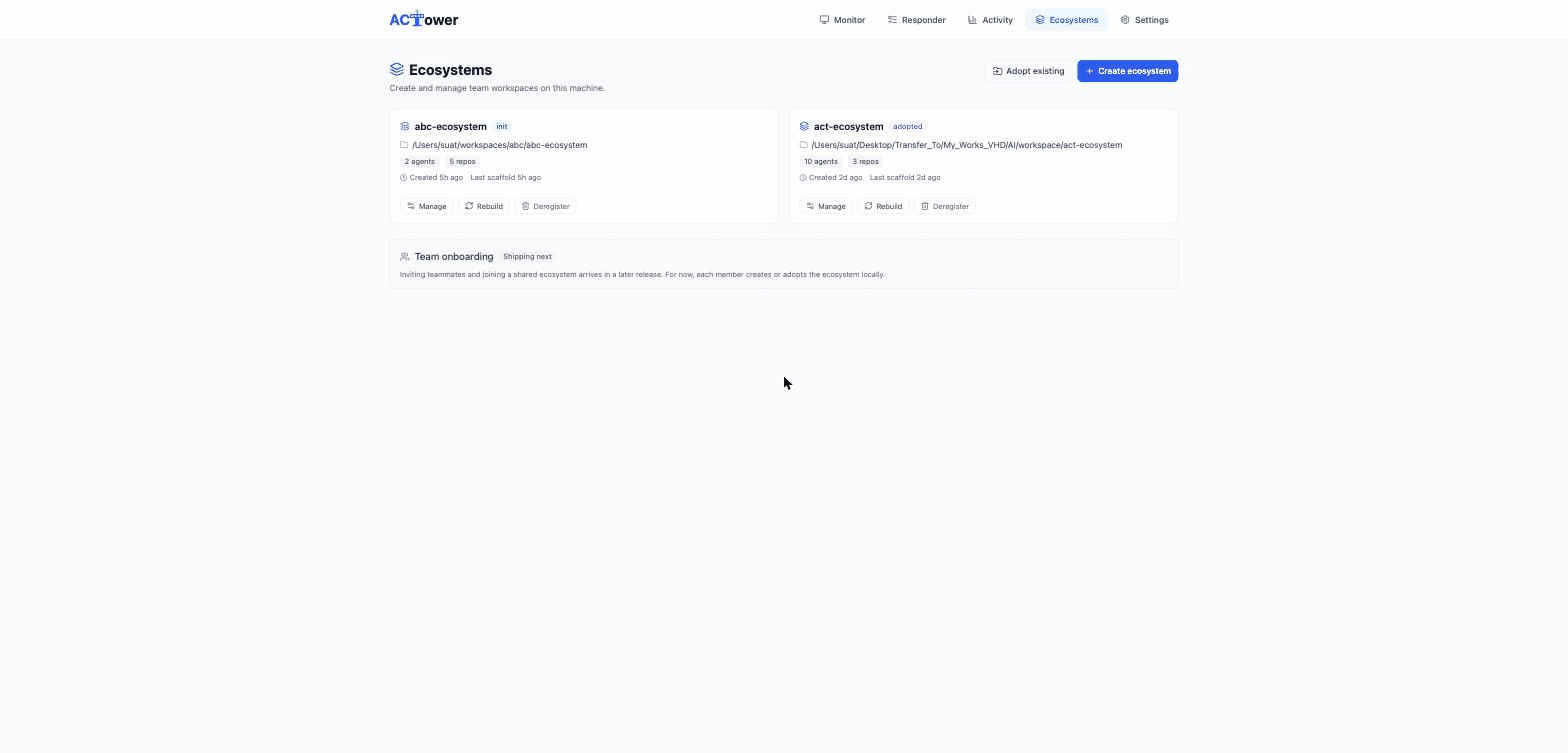
Every CLI, one backend
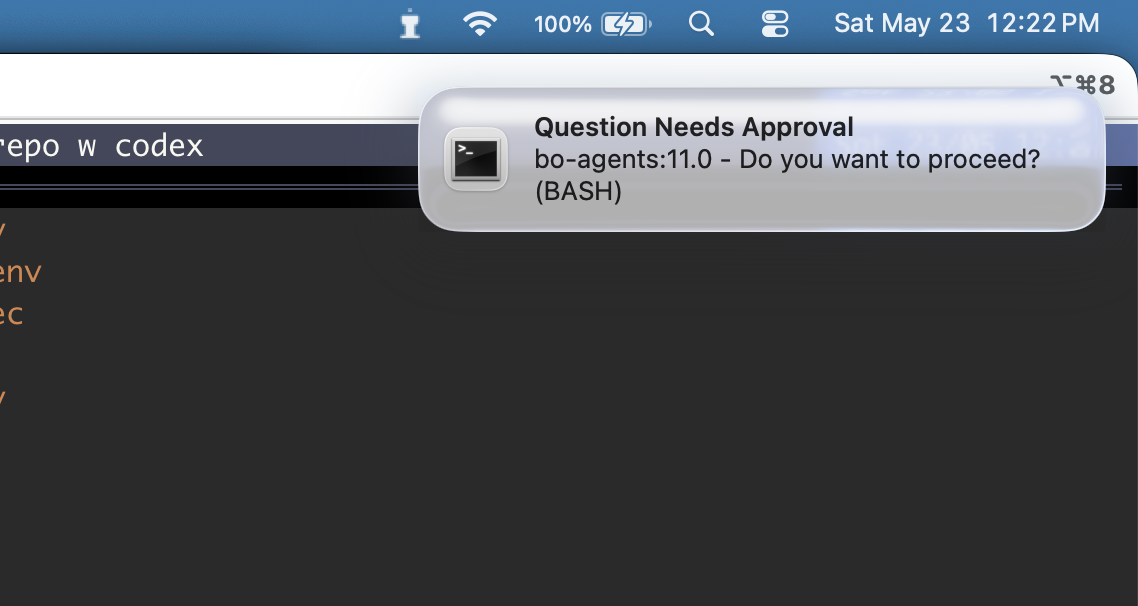
Run your agents at full speed across every tool — Claude Code, Codex CLI (beta), Google Antigravity CLI (beta), and Cursor (beta) — all in one place. One desktop app, one local web app, one backend: no double-approvals, and a click on any alert jumps straight to the agent that needs you.
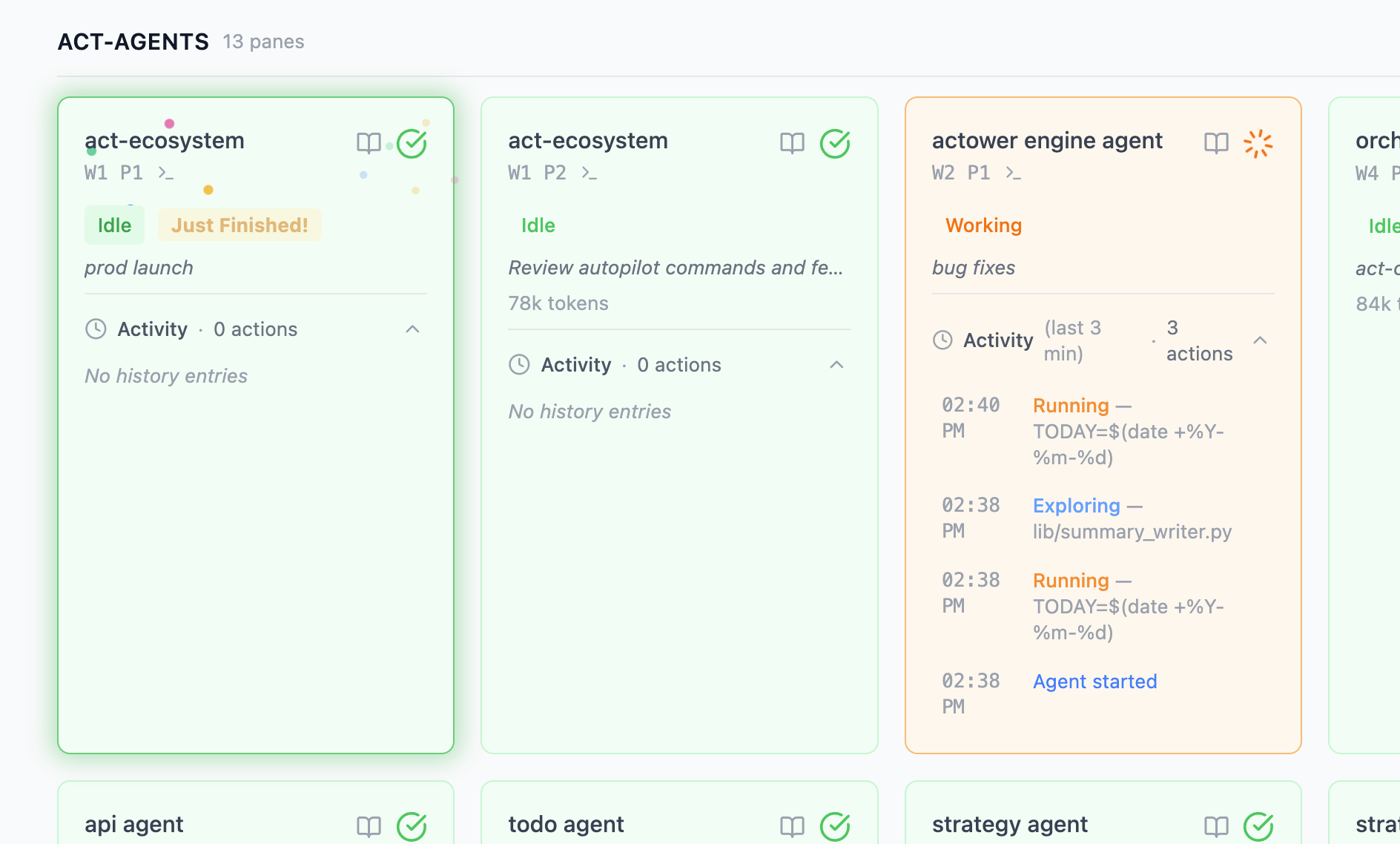
Your agents’ control tower
Every agent action passes through one control tower: safe moves auto-approved, risky ones held for you, a full audit trail of every decision. Oversight isn’t a bolt-on — it’s how the whole thing stays trustworthy as your team grows. (It’s in the name.)
What it does every day.
Last 7 days on our own machines — week ending July 15, 2026.
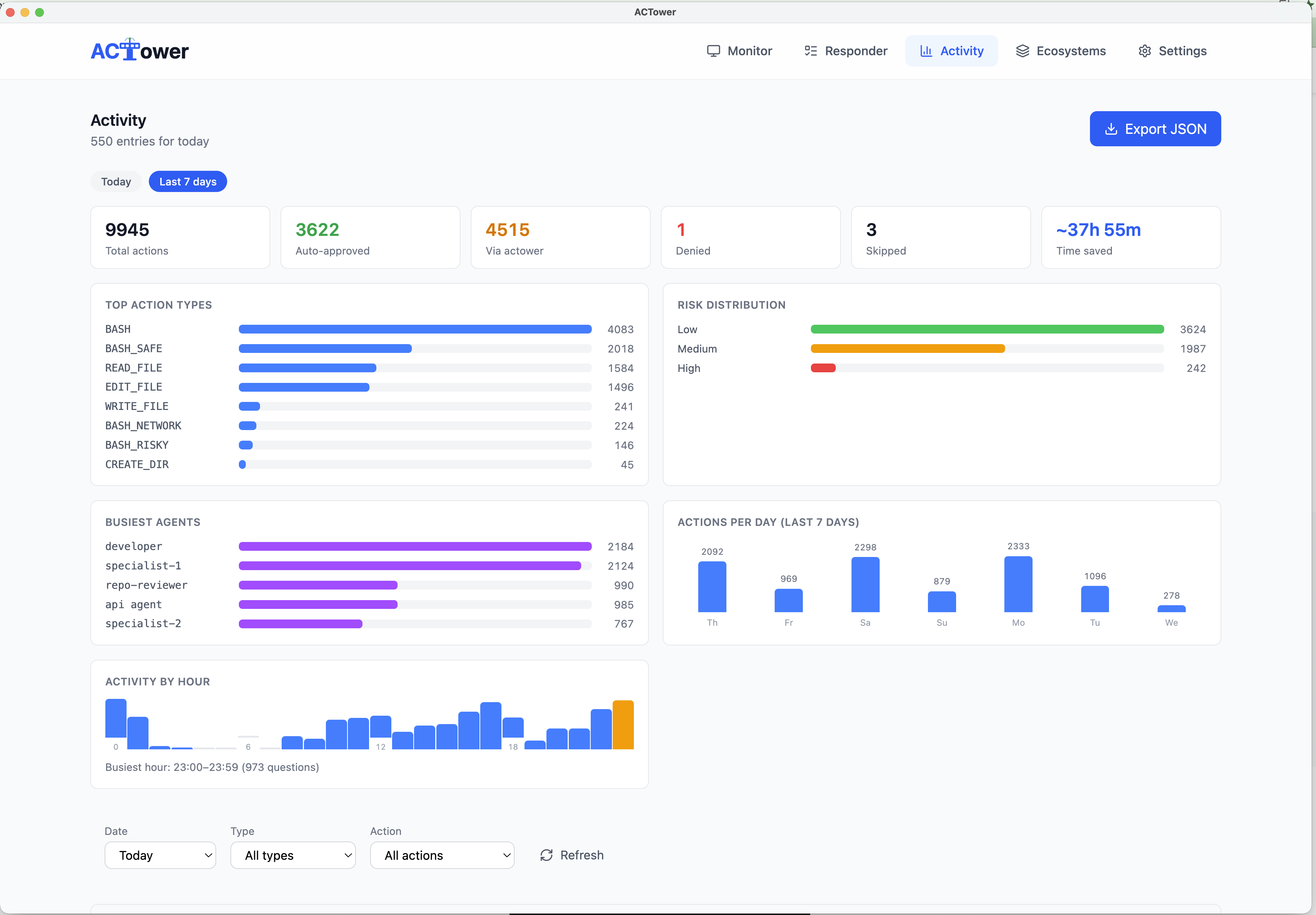
High-risk actions — all human-gated.
More than a third of all agent actions are clearly safe and get auto-approved. Everything with risk is surfaced for a human, and every action is logged.
We run our own companies on it.
The last release was built by autopilot agents under ACTower's own supervision — every commit dual-reviewed, full audit trail.
“The product rebuilt itself, under its own oversight.”
No cloud, no SaaS shell, runs locally.
ACTower is your company’s AI-native infrastructure — the workspaces your agents work in, and the controls that govern them.
Your CLIs, your accounts, your machine. ACTower reads your terminal the way you do and answers the way you would — nothing proxied or pooled. The agents are the vendors’. The oversight is yours.
For developers
Headless and scriptable, all the way down
The whole control layer runs from the terminal too. Watch every agent with actower monitor, auto-approve safe actions headless with actower responder --auto, and pipe its classifications into CI or your own tooling. The desktop app and the CLI are the same backend — run it whichever way fits.
Monitor, headless
Classify & respond, headless
Twenty minutes to a working ecosystem
Install, then build your first company. Requires tmux and Python 3.11+ — works on macOS and Linux.
brew tap actower/brew && brew trust actower/brew && brew install actowerFree tier includes up to 5 monitored agents. No credit card required.
Create your company
actower desktopOpen the app and give your company one short name — preview the whole workspace as a dry-run, then confirm and it’s live: a founder hub, starter specialist agents, a knowledge base, and slash commands. Developers can do the same headless in the terminal:
Simple, transparent pricing
Start free. Upgrade when you need more.
Free
Auto-approve safe actions with up to 5 agents. No credit card.
- ✓Up to 5 monitored agents
- ✓Auto-approve safe actions
- ✓Desktop app + local web app included
- ✓Local audit logs
Plus
Unlimited agents. Never babysit safe questions again.
- ✓Everything in Free
- ✓Unlimited panes
- ✓JSON log export
- ✓Standard support
Pro
Bring auto-approve under your control. Teach it your team's rules.
- ✓Everything in Plus
- ✓Custom Safe Rules
- ✓Risky actions still held for you
- ✓Priority support
Premium
Most PopularDelegate to agents with oversight. Agents build, agents review — ACTower governs the loop.
- ✓Everything in Pro
- ✓Autopilot — automated build/review loop
- ✓Review-revise mode for your own changes
- ✓Priority support
Business
Volume licensing and centralized billing for teams and organizations.
- ✓Everything in Plus
- ✓Volume licensing (10+ seats)
- ✓Centralized invoicing
- ✓Bulk license keys
What’s coming
On the roadmap
Where ACTower is headed next. These are in active development — not live yet, and we’ll never show them as if they were.
Team onboarding
In developmentPaid plans
Invite a teammate and have them join from one link, landing in a hub scoped to exactly what their role should see.