AI-native from day one
Every project starts the same. It shouldn’t.
You spin up a repo, wire up a Notion, add a ticket tracker — and six months in you’re having the same conversations, writing the same docs, onboarding the same way. And your “AI setup” is really three people who each installed Claude Code separately and pray they don’t diverge. actower fixes that on day one.
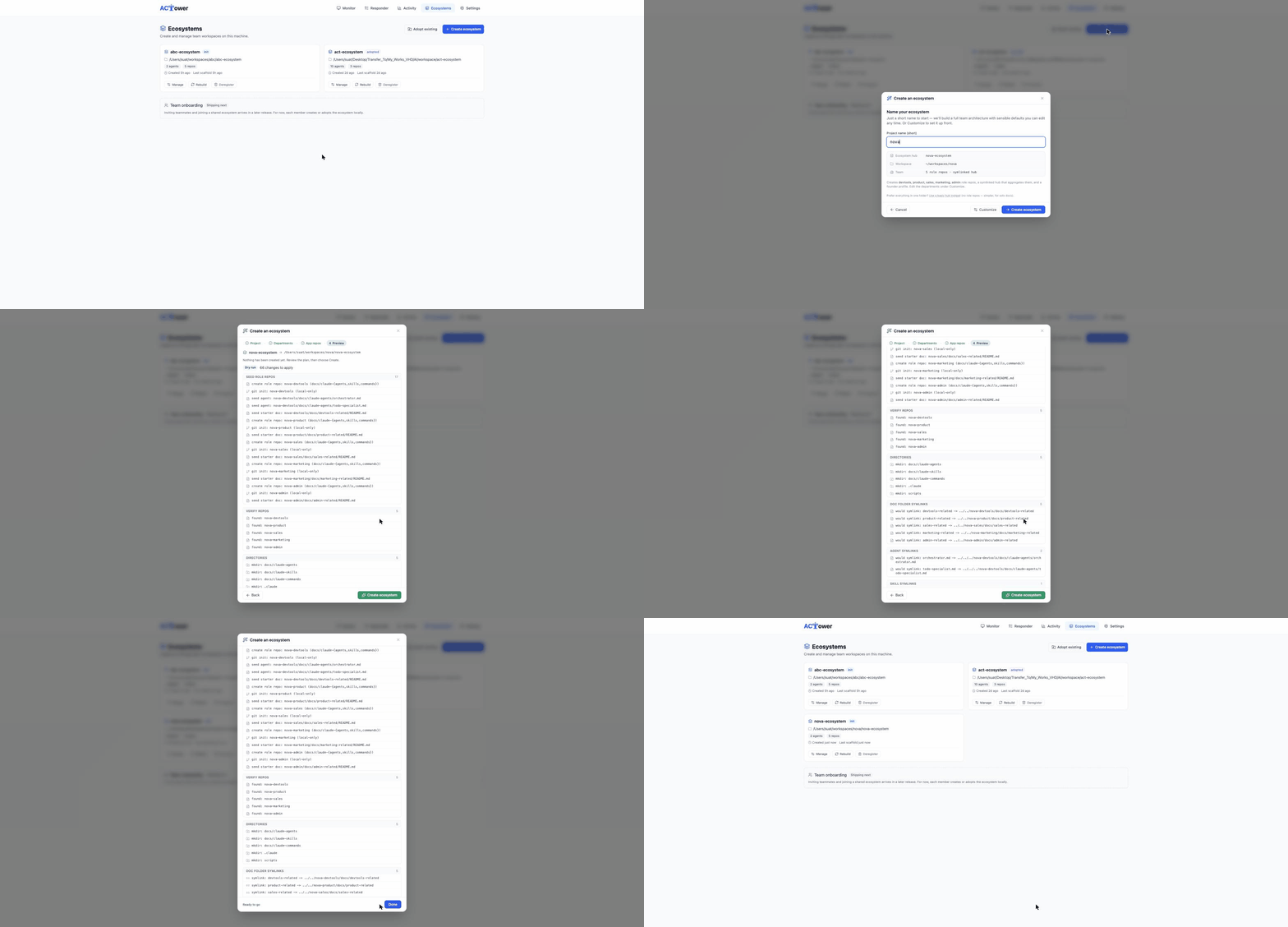
One name, your whole AI-native workspace.
Give your company one short name in the app — preview the whole workspace as a dry-run, then confirm and it’s live. Five minutes. Developers get the same headless: a four-question wizard in the terminal.
A founder hub
A documentation hub that sees everything — every role repo, dashboard, and knowledge base, linked in one workspace.
Starter specialist agents
Templates wired to your roles — API, sales, ops, whichever you pick. Extend them, or pull from the community. We scaffold the structure; the agents are your CLIs.
A knowledge base
An Obsidian vault, ready to go, with dashboards for what everyone is working on.
Slash commands
Commands for your daily work — /commit-message, /pr-review, /deploy — wired from day one.
Scoped role repos
Role repos that will scope your future teammates automatically — they see only what they should.
Manage your ecosystem
Manage your ecosystems in the desktop and web app — create, adopt, add agents, and rebuild the hub — all live in v1.1.3. The core operations are a command away in the actower ecosystem CLI.
In the app
Live in v1.1.3Ecosystem Management brings these operations into the desktop and web app:
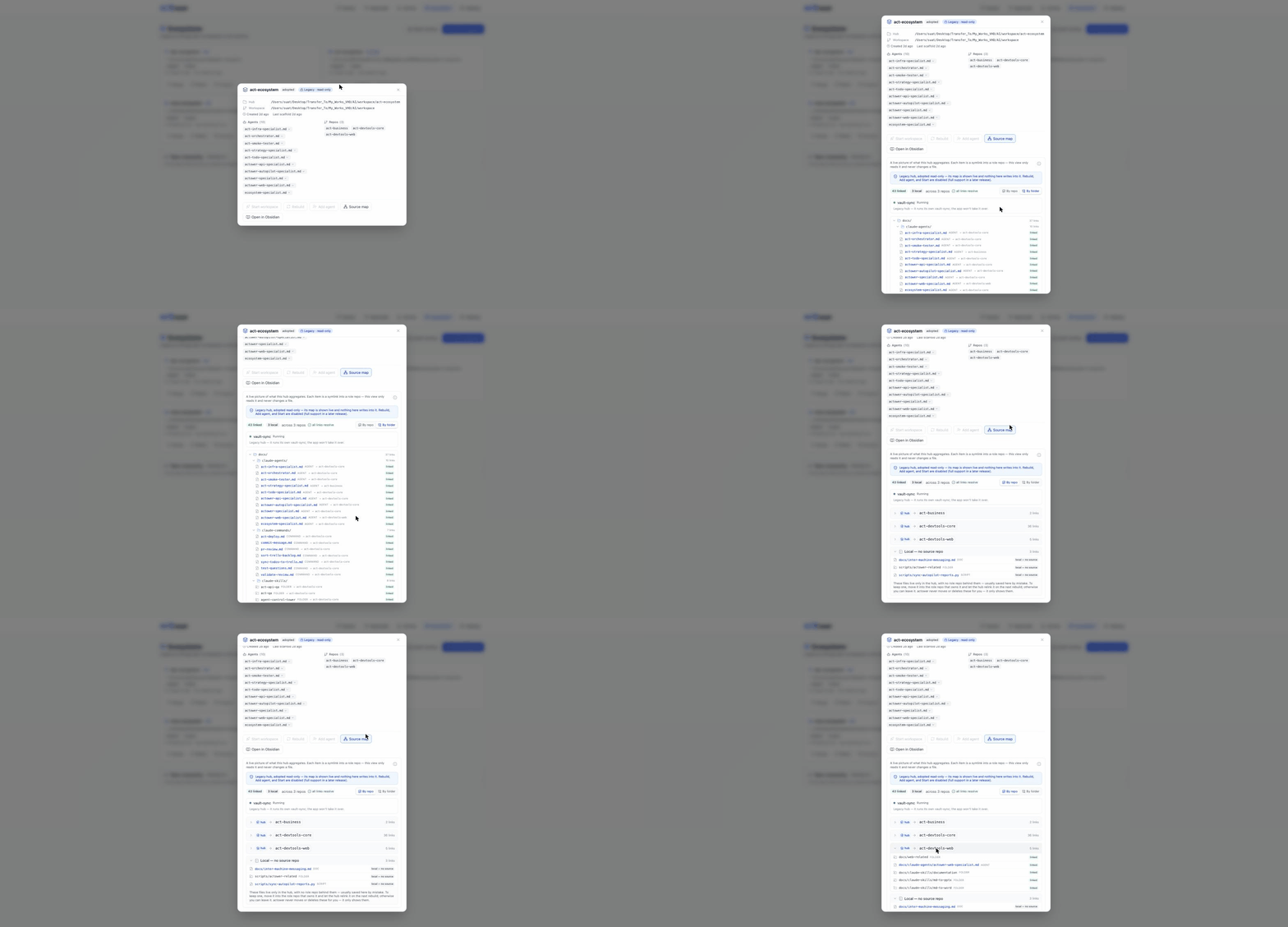
- ✓List ecosystems — name, hub, agents, repos, health
- ✓Create — the one-name quick-create, with a dry-run preview
- ✓Adopt an existing ecosystem already on this machine
- ✓Add or edit agents to scale the team
- ✓Rebuild the hub and re-sync symlinks in one click
Also from the CLI
Live todayPrefer the terminal, or running headless? The core operations are each a command:
actower ecosystem initFour-question wizard → ecosystem.yamlactower ecosystem scaffoldGenerate the workspace from your configactower ecosystem hub --rebuildRebuild the founder hub / re-sync symlinksactower ecosystem listList the ecosystems on this machineThen you hire someone
Team onboarding is the next chapter — here’s where it lands. These flows are on the roadmap, not live yet.
Invite & join
Shipping nextCheck a box for a role, get back a one-line install link. They paste it and land in a hub scoped to exactly what they should see — their CLI pre-wired with the right specialist, their knowledge base open on their domain.
curl -fsSL https://actower.io/install | sh && actower ecosystem join <invite>Planned flow (R2) — not yet live.Desktop onboarding wizards follow in a later wave (R3). We’ll never show unshipped surfaces as if they were live.
Where does everything run?
A controls layer, not a wrapper.
ACTower is a controls layer, not a wrapper. It runs entirely on your machine, alongside the AI coding CLIs you already installed and pay for, under your own accounts. It never touches vendor APIs, tokens, or traffic — it reads your terminal the way you do, and answers prompts the way you would, following an approval policy you define, with an audit trail of every decision. Nothing is proxied, pooled, or intermediated. Vendors build the agents; actower makes running them governable — which is exactly the human-oversight posture every AI vendor publicly asks for. Tools that got shut down for wrapping consumer subscriptions were reselling or intermediating vendor access. actower sells oversight of your own.
What about my agents’ API keys?
They stay where they already are. actower drives the CLIs you already run — it doesn’t hold or forward your model credentials.
Who can see the audit trail?
You do. The audit trail is a local record of every decision, exportable when you need it — not a hosted dashboard we can read.
Twenty minutes to a working ecosystem
Install it, open the app, give it one short name. If you don’t have a working ecosystem in front of you at the end, we want to know why.
curl -fsSL https://actower.io/install.sh | bashactower desktopPrefer the terminal? actower ecosystem init creates the same workspace headless.